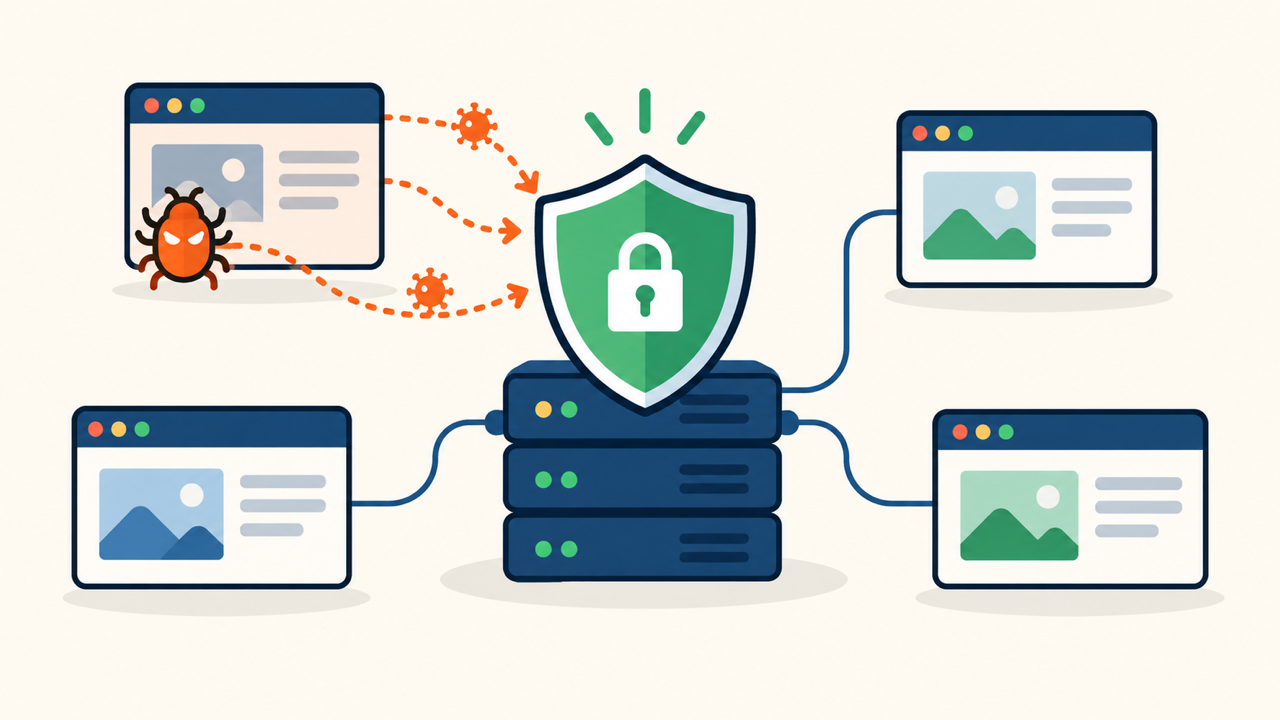
Cross-site WordPress reinfection on shared hosting is easy to miss because the site you cleaned may not be the site restoring the malware. An abandoned installation, staging copy, account-level task, or stolen hosting credential can rewrite a site that appeared clean.
Treat the whole hosting account as one incident boundary. If malware returns, use the broader WordPress reinfection root-cause process, then check every document root, database, task, credential, backup, and deployment source under the account.
 RyoheiYokoyama
I’m Ryohei Yokoyama, founder of SiteFixNow. I’ve worked as an IT engineer for over 20 years and have handled many WordPress recovery, malware removal, hacked site repair, and security cleanup cases. Here I’ll explain how to clean connected WordPress installations without leaving a cross-site reinfection path behind.
- Why cleaning one WordPress installation may not stop reinfection
- How to inventory and contain every connected site safely
- Which cleanup order prevents one site from restoring malware
- How to verify the whole hosting account is clean
Cross-Site WordPress Reinfection Requires an Account-Wide Boundary
Investigate cross-site reinfection across the hosting account, not only inside the document root showing symptoms. Shared hosting often places production sites, test sites, old domains, and backups under the same operating-system user.
Separate installations are not WordPress Multisite
WordPress Multisite shares one core and network database. A hosting account may instead contain independent WordPress copies, each with its own wp-config.php, database, plugins, themes, users, and update history.
Shared Hosting Inventory Must Map Every Site, Database, and Task
A complete inventory comes before cleanup. Map the primary domain, add-on domains, subdomains, staging names, migration folders, disabled sites, old stores, and directories no longer listed in the hosting panel.
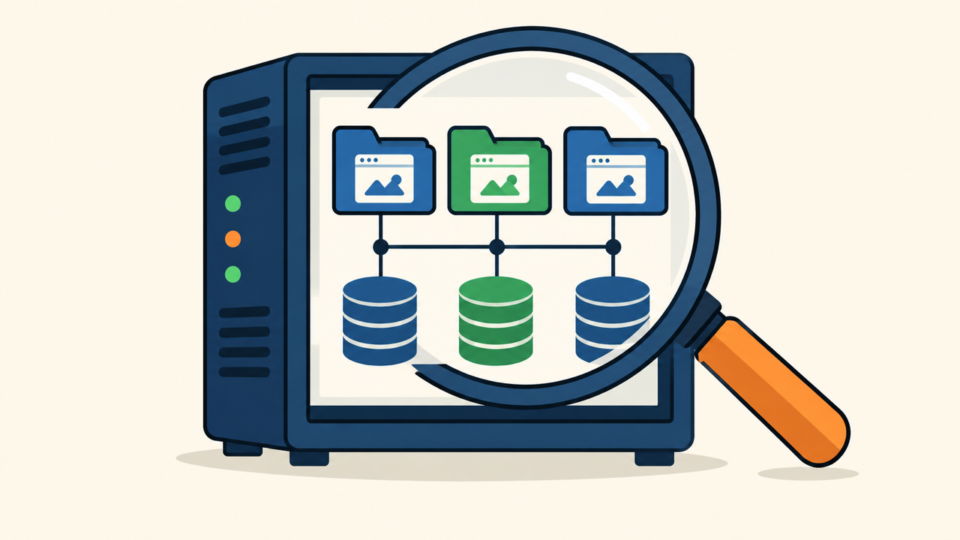
For each WordPress root, record the URL, filesystem path, owner, PHP version, wp-config.php location, database, table prefix, administrators, active theme, and plugins. Two folders may share a database, and one old database may still feed a public URL.
If shell access is available, locate configuration files without printing their secrets. Keep searches inside the assigned hosting account and review each result manually.
pwd
find . -type f -name wp-config.php -print
find . -type f -name .user.ini -print
find . -type f -name .htaccess -print
Apply the WordPress malware and backdoor scan process to active and inactive installations. Compare checksums, unusual PHP locations, users, scheduled events, database injections, and recent changes instead of trusting one scanner result.
Cross-Site WordPress Containment Must Preserve Evidence
Containment should stop malicious execution and visitor exposure while preserving evidence. Before major changes, copy relevant files, databases, logs, task lists, and account settings so the writer can still be traced.
If the host suspended the account, follow the hosting-suspension recovery checklist. Coordinate evidence preservation with the host before requesting reactivation.
Reset hosting and email access from a trusted device, enable multifactor authentication where available, rotate keys, and invalidate sessions. Containment is temporary: it does not remove a backdoor, scheduled writer, or vulnerable component.
Shared Hosting Cleanup Must Follow a Safe Dependency Order
Clean systems that can rewrite everything else before rebuilding public sites. If a stolen hosting credential, malicious task, or infected staging copy remains active, fresh WordPress files may be compromised again before verification starts.
Use the hacked WordPress cleanup order inside each installation, but coordinate the account as one incident. Do not return a site to service while an unreviewed sibling can execute code under the same owner.
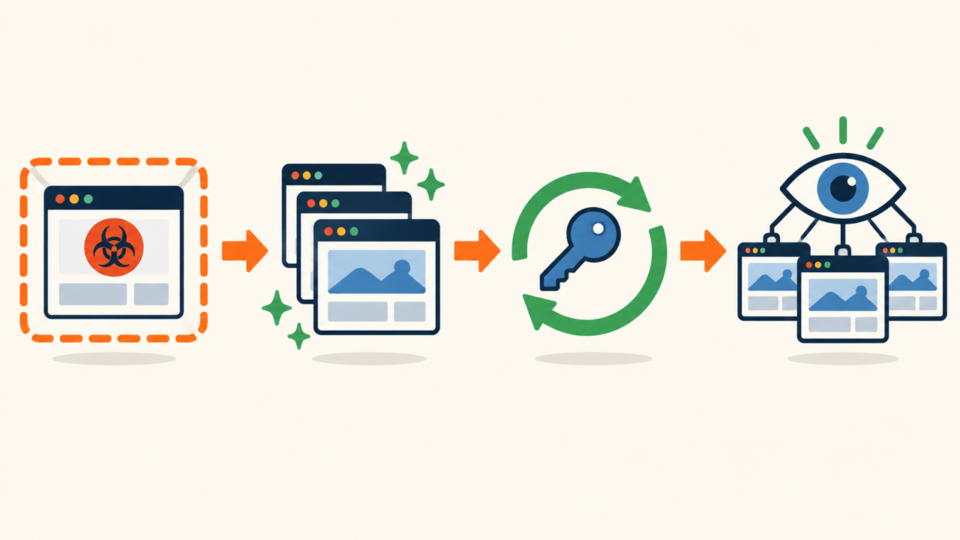
- Preserve account-wide files, databases, logs, and task lists.
- Secure hosting, email, SSH, and file-transfer access.
- Disable confirmed malicious account-level tasks and loaders.
- Quarantine every affected or untrusted WordPress installation.
- Rebuild trusted code; review databases, users, and scheduled events.
- Patch the entry point, remove abandoned sites, rotate secrets, and monitor.
Replace WordPress core with the correct clean release and reinstall plugins and themes from trusted packages. Preserve verified custom code separately; never copy an entire untrusted wp-content folder into a rebuilt site.
Review administrators, options, widgets, posts, scheduled events, and plugin tables. A clean filesystem can still be compromised by a rogue user, injected database loader, vulnerable plugin, or automation using stolen access.
Cross-Site Reinfection Can Start Outside WordPress
Parent-directory .user.ini files, account-level PHP settings, cron jobs, control-panel redirects, compromised backups, and deployment systems can affect several sites at once. Replacing WordPress core does not remove these persistence routes.
find . -type f \( -name .user.ini -o -name php.ini \) -print
find . -type f -mtime -7 -print
crontab -l
Recent-file results include legitimate caches and updates, so use ownership, hashes, request logs, process timing, and trusted packages to classify them. Do not treat one suspicious function or timestamp as proof without context.
Verify backups before restoration. A backup can contain the same backdoor, vulnerable plugin, rogue user, or database injection; check its date against the compromise timeline and patch the entry point before using it.
WordPress Reinfection Verification Must Cover Every Installation
Verification succeeds only when every retained installation stays clean through normal traffic, scheduled tasks, updates, backups, and cache rebuilds. A clean homepage immediately after file replacement is not enough.
Create trusted file hashes after rebuilding and review authentication, file-change, web, PHP, database, and task logs together. Test each public site and dashboard, including redirects, forms, users, scheduled events, outbound mail, updates, and browser warnings.
Then apply post-malware WordPress hardening to every retained installation. Remove unused sites, separate credentials, reduce write access, protect backups, and monitor unexplained changes.
Cross-Site WordPress Reinfection FAQ
Cross-Site WordPress Reinfection Cleanup Summary
Cross-site reinfection is not solved by cleaning the first site that shows symptoms. Inventory the complete account, preserve evidence, contain every affected root, secure shared access, remove persistent writers, and rebuild retained installations from trusted sources.
Verify all sites through normal traffic and scheduled activity. If you cannot explain what recreated the malware and prove that route is closed, keep the environment contained and get help before returning it to service.
If You Can’t Secure or Recover Your WordPress Site Yourself

If your website shows malware warnings, redirects to strange pages, or you are not sure whether it is secure,
SiteFixNow can help clean, repair, and recover your WordPress site.
- Your WordPress site may be infected with malware.
- Security warnings appear in Google or browser results.
- You found unknown admin users or suspicious files.
- The site redirects to spam or unknown websites.
- You need urgent WordPress hacked site repair.
- Reduce visitor risk and SEO damage.
- Find hidden malware and backdoors, not only visible symptoms.
- Recover the site safely without unnecessary data loss.