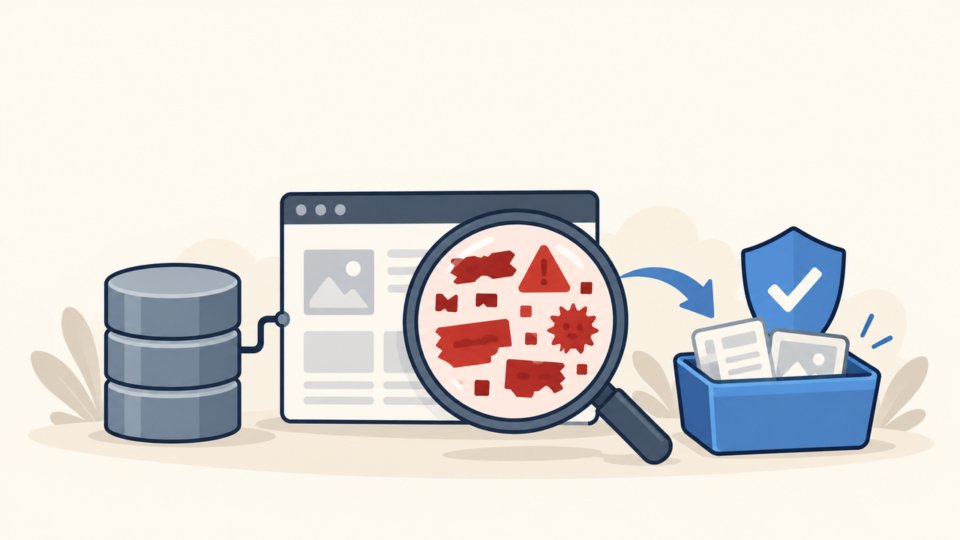
A Google Ads “Compromised Site” disapproval is not usually fixed by rewriting an ad. It means the destination or something loaded by that destination appears unsafe, manipulated, or capable of sending visitors somewhere they did not expect.
 RyoheiYokoyama
I’m Ryohei Yokoyama, founder of SiteFixNow. I’ve worked as an IT engineer for over 20 years and have handled many WordPress recovery, malware removal, hacked site repair, and security cleanup cases. Here I’ll explain how to preserve the advertising evidence, clean the full compromise, and verify the landing path before requesting a review.
- Why an Ads destination disapproval differs from an ad-copy or ordinary policy problem
- Which evidence to save before deleting files, restoring a backup, or clearing caches
- How to inspect WordPress files, database records, users, redirects, and third-party scripts
- How to verify every landing-page path and prepare a factual review request
Google Ads “Compromised Site” Disapproval Is a Security Signal, Not an Ad-Copy Problem
The first conclusion is simple: investigate the destination as a security incident. Changing headlines, descriptions, bids, or targeting does not remove malicious JavaScript, hidden redirects, injected database content, or a compromised third-party resource.
A browser warning or Search Console Security Issues report is related evidence, but it is a separate review surface. If Safe Browsing or search results also show a warning, use the Google blacklist warning cleanup and review workflow alongside the Ads investigation.
Google Ads Compromised Site Evidence Must Be Preserved Before WordPress Cleanup

Preserve evidence before running an automatic cleaner or restoring a backup. The reason is practical: the visible landing page may look normal while a malicious rule activates only for a mobile user agent, an advertising click parameter, a referrer, or a visitor without an existing cookie.
Create a full file and database backup, label it as compromised, and store it outside the public web root. Save screenshots of the policy notice, export relevant server and security logs, and record plugin, theme, WordPress, PHP, and administrator details before updates change them.
- Final URLs, tracking parameters, redirects, response headers, and affected devices
- The full WordPress files and database, stored in a restricted location
- Suspicious paths, hashes, modification times, scanner findings, and hosting alerts
- Access, error, SFTP, control-panel, deployment, CDN, and security logs
- Active plugins, themes, must-use plugins, admin users, cron events, and API keys
If visitors are currently redirected or exposed to malicious content, contain the risk immediately after preservation. The emergency WordPress malware removal checklist covers the access, file, database, and logging priorities for that first response.
WordPress Compromised Site Cleanup Must Cover Files, Database, Users, and Redirects
A successful cleanup removes the behavior, the persistence mechanism, and the entry point. Deleting one flagged file is not enough when a database payload, unknown administrator, scheduled task, stolen credential, vulnerable plugin, or neighboring site can recreate it.
Inspect WordPress core against official checksums, then examine plugins, themes, uploads, must-use plugins, drop-ins, wp-config.php, .htaccess, server configuration, and writable cache folders. Replace compromised software from trusted sources instead of editing scattered malicious lines in place.
wp core verify-checksums --include-root
find wp-content/uploads -type f -name '*.php' -print
find wp-content/mu-plugins -type f -maxdepth 2 -print
find . -type f -name '.htaccess' -print
grep -R "base64_decode\|gzinflate\|eval(" wp-content --include='*.php'
A suspicious-function search is only a lead. Legitimate plugins sometimes use encoding, remote requests, or advanced PHP functions, so verify the path, package source, surrounding code, ownership, and hash before removing anything. For focused examples, see WordPress file infection checks for wp-content and wp-config.php.
Database review should include wp_options, posts, post meta, users, user meta, widgets, redirect settings, injected scripts, and tables created by snippet or advertising plugins. Export the relevant table before editing because serialized values and legitimate scripts can break when changed carelessly.
If suspicious behavior returns, stop repeating the same deletion. Use the WordPress reinfection root-cause workflow to investigate stolen access, vulnerable components, server jobs, adjacent installations, and other persistence outside the obvious file.
Google Ads Landing Page Verification Must Cover Every URL, Device, and Redirect

Verification must follow the complete advertising destination, not only the homepage opened from your own browser. Test the ad’s final URL, mobile URL, tracking template, redirects, query parameters, canonical destination, and every external script or iframe the page loads.
curl -I -L 'https://example.com/landing-page/'
curl -I -L 'https://example.com/landing-page/?utm_source=ads'
curl -A 'Mozilla/5.0 (iPhone; CPU iPhone OS 18_0 like Mac OS X)' -I -L 'https://example.com/landing-page/'
curl -sS 'https://example.com/landing-page/' | shasum -a 256
Replace the example domain with the real final URL and record every redirect hop. A clean 200 response is not proof because malicious code may run later through JavaScript or a compromised third-party asset.
- No unexpected redirects on direct, tagged, desktop, mobile, or first-visit tests
- No unknown scripts, iframes, downloads, pop-ups, or external hosts in the rendered page
- No suspicious files or database records reappear after normal traffic and cron run
- CDN, page, object, browser, security, and hosting caches have been cleared
- Important forms, checkout, login, and conversion pages still work after cleanup
Google Ads Compromised Site Review Comes Only After WordPress Stays Clean
Request a review only after the full landing path stays clean through repeated checks. The safest evidence is not one successful scan; it is consistent behavior after caches refresh, scheduled tasks run, and the site receives normal traffic without recreating suspicious files or redirects.
Before resubmitting, patch vulnerable components, revoke unknown access, rotate credentials from a clean device, and confirm off-site backups. Use the post-malware WordPress security checklist to reduce reinfection risk.
Use the current review option shown in the advertising account. State what was compromised, what you removed or replaced, how access was secured, and how every destination and redirect was verified.
Google Ads Compromised Site Disapproval FAQ
Google Ads Compromised Site Recovery Summary
A Google Ads compromised-site rejection requires an evidence-first WordPress security response. Preserve the exact notice and landing path, contain visitor risk, inspect files and database records, remove unauthorized access and persistence, replace compromised code, and fix the entry point.
If You Can’t Secure or Recover Your WordPress Site Yourself

If your website shows malware warnings, redirects to strange pages, or you are not sure whether it is secure,
SiteFixNow can help clean, repair, and recover your WordPress site.
- Your WordPress site may be infected with malware.
- Security warnings appear in Google or browser results.
- You found unknown admin users or suspicious files.
- The site redirects to spam or unknown websites.
- You need urgent WordPress hacked site repair.
- Reduce visitor risk and SEO damage.
- Find hidden malware and backdoors, not only visible symptoms.
- Recover the site safely without unnecessary data loss.