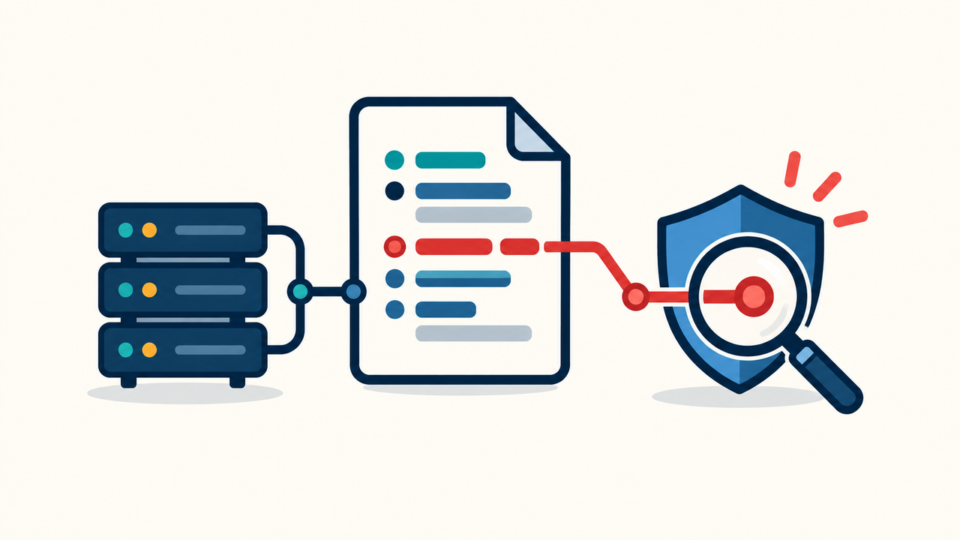
WordPress robots.txt malware can block legitimate pages, hide spam, or serve crawlers a different response from visitors. Replacing the file may hide the symptom while a plugin, rewrite rule, scheduled task, or compromised account remains able to recreate it.
 RyoheiYokoyama
I’m Ryohei Yokoyama, founder of SiteFixNow. I have worked as an IT engineer for over 20 years and handled many WordPress recovery and malware-cleanup cases. Here I’ll show you how to investigate suspicious robots.txt behavior without destroying evidence.
- How to preserve and compare suspicious robots.txt responses.
- Where a physical, virtual, cached, or conditionally generated response can originate.
- How to detect search-engine cloaking without trusting one browser test.
- How to restore appropriate rules and verify that reinfection has stopped.
WordPress robots.txt Malware Is an Incident Signal, Not Just an SEO Error
Treat an unexplained robots.txt change as a security incident until you confirm an authorized SEO or maintenance edit. Attackers can use the response to discourage legitimate crawling, hide spam paths from routine checks, or support a wider cloaking campaign.

Preserve the live response before editing
Capture the response body, headers, time, test source, and exact user agent. Preserve the file, server and CDN settings, deployment records, and access logs. A screenshot omits redirects and the route that generated the response.
curl -sS -D robots-normal.headers -o robots-normal.txt https://example.com/robots.txt
curl -sS -A "Googlebot" -D robots-googlebot.headers -o robots-googlebot.txt https://example.com/robots.txt
shasum -a 256 robots-normal.txt robots-googlebot.txt
If foreign-language results or crawler-only redirects also appear, follow the Japanese keyword hack and SEO spam workflow. Robots.txt may be one part of a database, redirect, and sitemap compromise.
WordPress May Serve robots.txt From More Than One Layer
Identify the component that answered the request. WordPress can generate a virtual robots.txt, while a document-root file, server rule, CDN edge function, cache, plugin, or theme filter may take precedence.
Compare the public response with the origin
Check the document root for robots.txt, then record ownership, permissions, modification time, and hash. Compare it with the public response. Different text means another layer may intercept the request.
pwd
ls -la robots.txt
stat robots.txt
shasum -a 256 robots.txt
curl -sS https://example.com/robots.txt | shasum -a 256
If no physical file exists, review code that hooks the virtual response. Search a trusted offline or quarantined copy for robots_txt, do_robots, user-agent checks, direct output, and rewrites.
grep -RInE 'robots_txt|do_robots|HTTP_USER_AGENT|user.agent' wp-content/mu-plugins wp-content/plugins wp-content/themes
find wp-content -type f -mtime -14 -print
Inspect cache and server routing before blaming WordPress
Review CDN rules, edge functions, page-cache exclusions, hosting malware filters, Nginx locations, Apache virtual-host rules, and .htaccess. A conditional rewrite can return a static malicious file only to selected user agents while the WordPress dashboard and theme remain unchanged.
Use the WordPress .htaccess malware guide to inspect redirects and conditions. Do not paste a generic replacement over multisite, subdirectory, security, or host-specific rules.
Search-Engine Cloaking Must Be Tested Without Trusting One Browser
Cloaking requires repeatable response differences tied to request conditions. Compare clean sessions from multiple networks and vary one factor at a time: user agent, cookies, referrer, device class, or path.
Trace conditions back to code, rules, or data
Correlate each variation with server and CDN logs, rewrites, recent files, plugin settings, cron, and database records. Search for destination domains, path fragments, encoded payloads, user-agent patterns, and header output.
If crawler-facing pages exist as posts, options, or metadata, follow the WordPress SEO spam database checks. If core files appear modified, verify hashes and rebuild them from the matching trusted release using the WordPress core checksum recovery process.
Restore Clean robots.txt Rules Only After Removing Persistence

Start from a reviewed site-specific baseline
A minimal WordPress example is not universal. Confirm the sitemap, public paths, language or store structure, and intended exclusions with the site owner. Never copy unknown directives from the infected response.
User-agent: *
Disallow: /wp-admin/
Allow: /wp-admin/admin-ajax.php

Sitemap: https://example.com/sitemap_index.xml
Use the canonical host and verify whether the sitemap is sitemap_index.xml, wp-sitemap.xml, or another endpoint. Do not list a failing sitemap or block assets needed to render public pages without a reviewed reason.
- Preserve the malicious response, relevant files, configurations, logs, users, and timestamps.
- Restrict exposure and stop the component generating or restoring the response.
- Remove related backdoors, malicious rewrites, cron events, database payloads, and unknown access.
- Patch the entry point and rotate administrator, hosting, SFTP, database, API, and CDN access as applicable.
- Deploy the reviewed robots.txt from one authoritative layer and purge only the necessary caches.
- Verify response parity, indexing controls, site behavior, and recurrence over time.
If the response returns, use a WordPress reinfection root-cause investigation to correlate it with cron, login, file, database, and hosting events. Do not normalize an active breach by repeatedly replacing one file.
Verify robots.txt Recovery With HTTP Checks, Logs, and Search Tools
Recovery requires a correct, consistent response after cache expiry and scheduled activity. Repeat normal and crawler tests, compare hashes and headers, verify the canonical host, and check for redirects.
Review search recovery without forcing unsafe changes
Do not use robots.txt for removal or confidentiality. Disallowed URLs may remain indexed, and the file is public. Remove hacked content, return the correct status, authenticate private resources, and use supported removal tools.
After cleanup, follow a post-malware WordPress hardening plan: patch components, enforce least privilege, review API access, protect backups, and monitor integrity. Close the entry path, not only the text file.
WordPress robots.txt Malware FAQ
WordPress robots.txt Malware Recovery Requires One Stable, Verified Response
Preserve the response, identify its serving layer, test controlled differences, remove persistence, and restore reviewed rules. Validate the origin, CDN, caches, logs, sitemap, and search tools over time. Root-cause closure makes the recovery trustworthy.
If You Can’t Secure or Recover Your WordPress Site Yourself

If your website shows malware warnings, redirects to strange pages, or you are not sure whether it is secure,
SiteFixNow can help clean, repair, and recover your WordPress site.
- Your WordPress site may be infected with malware.
- Security warnings appear in Google or browser results.
- You found unknown admin users or suspicious files.
- The site redirects to spam or unknown websites.
- You need urgent WordPress hacked site repair.
- Reduce visitor risk and SEO damage.
- Find hidden malware and backdoors, not only visible symptoms.
- Recover the site safely without unnecessary data loss.