PHP inside wp-content/languages may indicate infection, but deleting every PHP file can also remove legitimate modern translation packages.
Identify expected files, preserve evidence, and quarantine only confirmed malware. Then remove the process that created it so the payload does not return.
 RyoheiYokoyama
I’m Ryohei Yokoyama, founder of SiteFixNow. With over 20 years of IT engineering and extensive WordPress recovery experience, I’ll explain how to inspect this directory without destroying valid translations or evidence.
- Why legitimate PHP translations may appear
- Which files and behaviors require investigation
- How to quarantine, rebuild, and verify safely
Malware in wp-content/languages Must Be Classified Before Deletion
A PHP extension alone does not prove infection. Core translations belong here; plugin and theme translations normally use the plugins and themes subdirectories.
Expected formats include .mo, .po, .json, and newer .l10n.php files that return translation arrays.
Attackers can still copy a trusted-looking suffix or append code to a genuine file. Classify each item by its full path, name, content, owner, timestamps, package origin, hash, and behavior.
- Unexpected
index.php,.phtml, random PHP, or hidden paths - Obfuscation, downloads, file writes, commands, user creation, or redirects
- Public execution with no translation purpose
Use the wider guide to scan WordPress for malware and hidden backdoors after this directory check.
wp-content/languages Malware Investigation Starts With Preserved Evidence
Preserve the files and database before changing permissions, reinstalling packages, or running a cleaner. Save available access, error, WAF, SFTP, hosting, and deployment logs outside the webroot.
Original ownership, times, sizes, hashes, and requests can connect the payload to a vulnerable component, stolen account, scheduled task, or neighboring site.
Inventory every languages directory
Search production, staging, add-on domains, and abandoned copies, then map every result to its document root.
cd /path/to/hosting-account
find . -type d -path '*/wp-content/languages' -print
find ./public_html/wp-content/languages -type f -print
find ./public_html/wp-content/languages -type f \( -name '*.php' -o -name '*.phtml' \) -print
Record metadata without executing the file
Do not run or include unknown PHP. Work from a copied file in a plain-text viewer and record the original first.
stat wp-content/languages/suspect.php
shasum -a 256 wp-content/languages/suspect.php
file wp-content/languages/suspect.php
ls -laR wp-content/languages
Suspicious PHP in the WordPress Languages Folder Needs Content Inspection
Legitimate translation PHP normally has a locale-based name and returns translation data. It should not create users, write payloads, contact arbitrary hosts, or redirect traffic.
Compare the whole file with a trusted language package or known-good backup. A familiar name is insufficient because code can be prepended or appended.
grep -RInE 'base64_decode|gzinflate|eval\(|shell_exec|passthru|assert\(' wp-content/languages
grep -RInE 'curl_exec|file_put_contents|wp_create_user|Location:' wp-content/languages
grep -RInE '<iframe|window\.location|document\.cookie' wp-content/languages
Treat matches as leads. Confirm package origin, structure, unrelated behavior, direct requests, and recreation in logs.
For broader damage, follow WordPress file infection cleanup. Compare this case with PHP backdoors in uploads, where executable files are far less expected.
WordPress Languages Malware Should Be Quarantined Without Breaking Updates
After confirming malware, preserve a copy outside every public document root and remove the executable live path. Record its original location, hash, metadata, and the evidence behind the decision.
Do not delete the entire languages directory. That can remove administrator, plugin, theme, and JavaScript translations while destroying useful evidence.
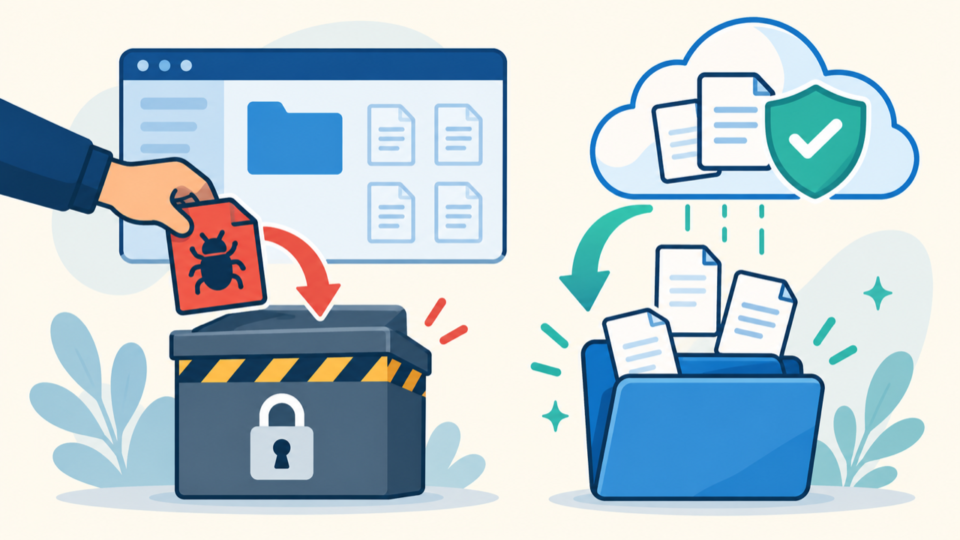
- Preserve files, database, logs, metadata, and hashes.
- Classify each translation and executable file.
- Quarantine confirmed malware outside the webroot.
- Reinstall affected language packages from trusted sources.
Language listings can document the installed state before a rebuild: wp language core list, wp language plugin list --all, and wp language theme list --all. Do not make the entire directory world-writable just to force an update.
WordPress Languages Malware Cleanup Must Remove the Persistence Path
The file is often a payload, not the entry point. It will return if a backdoor, task, stolen credential, vulnerable component, deployment source, or neighboring site remains.
Review administrators, credentials, sessions, tasks, mu-plugins, plugins, themes, configuration, database options, and neighboring installations.
- Hidden loaders in configuration, extensions, or writable directories
- Malicious tasks, deployment hooks, or backup archives
- Stolen WordPress, server, database, panel, or API access
- A compromised site sharing the account
Correlate recurrence with logs. If it returns, find the reinfection source, patch it, rotate exposed access, and invalidate sessions.
wp-content/languages Recovery Needs Translation and Reinfection Tests
Recovery is complete only when localization works and the payload stays gone. Test public and admin pages, locale switching, extensions, JavaScript translations, and updates.
Expect 403 or 404 from the former payload URL. Review logs and new files after traffic, tasks, cache refreshes, and deployments.
find wp-content/languages -type f -print
find wp-content/languages -type f -mtime -2 -print
curl -sS -I https://example.com/wp-content/languages/former-payload.php
wp language core list- Only explained, trusted files remain.
- The former payload cannot execute publicly.
- Translations and updates work.
- Nothing returns during monitored cycles.
Then secure WordPress after malware removal and document the final known-good baseline.
Malware in wp-content/languages FAQ
Malware in wp-content/languages Inspection and Recovery Summary
Classify translation files, preserve evidence, quarantine confirmed malware, rebuild trusted packages, remove persistence, and verify localization and non-return.
If You Can’t Secure or Recover Your WordPress Site Yourself

If your website shows malware warnings, redirects to strange pages, or you are not sure whether it is secure,
SiteFixNow can help clean, repair, and recover your WordPress site.
- Your WordPress site may be infected with malware.
- Security warnings appear in Google or browser results.
- You found unknown admin users or suspicious files.
- The site redirects to spam or unknown websites.
- You need urgent WordPress hacked site repair.
- Reduce visitor risk and SEO damage.
- Find hidden malware and backdoors, not only visible symptoms.
- Recover the site safely without unnecessary data loss.