
WordPress htaccess malware can redirect visitors before WordPress loads. Deleting the file immediately may erase evidence, break permalinks, remove legitimate rules, and leave the process that created the malware untouched.
Preserve the suspect, identify the active configuration, read each condition in context, rebuild a known-good baseline, and prove it stays clean.
 RyoheiYokoyama
I’m Ryohei Yokoyama, founder of SiteFixNow. I’ve worked as an IT engineer for over 20 years and handled many WordPress malware, hacked site, and redirect cases. Here is how to inspect `.htaccess` without destroying evidence or legitimate behavior.
- Which evidence to preserve before changing the file
- How to read `RewriteCond` and `RewriteRule` as one decision chain
- How to find the writer, restore clean rules, and verify persistence
WordPress htaccess Inspection Starts With Evidence and a Safe Copy
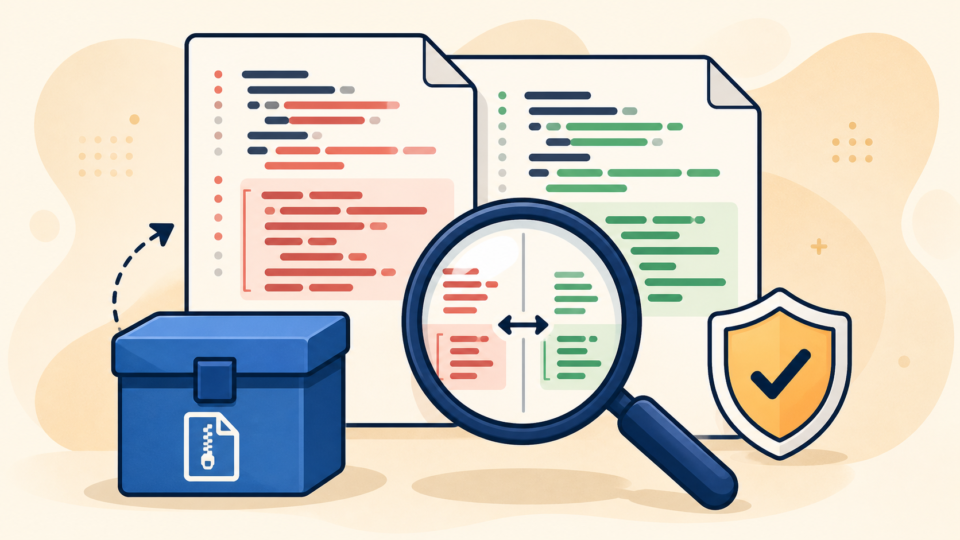
Preserve the current state before editing. Keep a reversible copy for recovery and a separate evidence copy for comparison.
Copy the file without opening and resaving it first. Record the UTC time, full path, owner, permissions, modification time, and SHA-256 hash. Save relevant access and error logs before rotation removes them, and keep evidence outside any public web folder.
Compare the suspect with a verified backup, hosting rules, and WordPress’s standard rewrite block. That block is only a baseline.
# BEGIN WordPress
<IfModule mod_rewrite.c>
RewriteEngine On
RewriteRule .* - [E=HTTP_AUTHORIZATION:%{HTTP:Authorization}]
RewriteBase /
RewriteRule ^index\.php$ - [L]
RewriteCond %{REQUEST_FILENAME} !-f
RewriteCond %{REQUEST_FILENAME} !-d
RewriteRule . /index.php [L]
</IfModule>
# END WordPress
If replacement causes a 403 error or broken assets, use the WordPress 403 Forbidden diagnostic checks instead of changing permissions at random.
WordPress htaccess Redirect Rules Must Be Read as a Decision Chain
Read each `RewriteRule` with every `RewriteCond` immediately above it. A condition narrows when the next rule runs, so separating them can misclassify legitimate behavior.
Translate the rule into plain questions
Ask which path is matched, which request value is tested, where the visitor goes, whether the destination is external, and whether the result is a permanent, temporary, or internal rewrite.
# Training example only.
RewriteCond %{HTTP_REFERER} ^https?://([^.]+\.)?search\.example [NC]
RewriteCond %{HTTP_COOKIE} !redirect_seen=1 [NC]
RewriteRule ^ https://example.com/landing [R=302,L]
The example targets search-referrer traffic, excludes browsers with a cookie, and sends the request to an external domain temporarily. That unexplained combination is high risk.
Understand the flags before editing
`R` redirects, `L` stops the round, `NC` ignores case, `F` returns forbidden, and `E` sets an environment variable. A rule without `R` can still rewrite internally.
Inspect anchors, query flags, and ordering. HTTPS, migrations, languages, and security tools may use complex rules. Judge behavior, provenance, timing, destination, and evidence—not indentation.
WordPress htaccess Malware May Be Active in More Than One Configuration Layer

The `.htaccess` in the WordPress root may not be the only file Apache reads. Parent directories can apply rules to multiple sites, while subdirectories can override behavior for uploads, cache folders, old installations, or staging copies.
Virtual-host configuration, control-panel redirects, CDN workers, security services, or proxies may act earlier. PHP or JavaScript malware may imitate the same symptom later. Search the authorized account scope for every `.htaccess`, then compare paths, hashes, timestamps, and rules.
Determine whether the file is being regenerated. WordPress tools may write legitimate sections, while a PHP backdoor, scheduled task, stolen account, or infected sibling site can restore malware.
Compare modification times with requests, cron activity, plugin logs, and logins. Perform a wider WordPress file infection inspection across wp-content and wp-config.php. Treat a recurring file as an output until you identify its writer.
WordPress htaccess Malware Cleanup Must Preserve Legitimate Site Behavior
Contain visitors first, then rebuild the configuration from documented clean sources. Removing only the visible redirect may stop the symptom briefly while a backdoor, vulnerable component, or stolen credential remains active.
- Use hosting-level protection or a known-clean maintenance response to reduce visitor exposure.
- Preserve files, database, logs, hashes, and the malicious response before cleanup.
- List legitimate redirects, then build a clean `.htaccess` from WordPress and verified site-specific rules.
- Clean files, database records, users, scheduled tasks, and neighboring sites; patch the entry point and rotate credentials.
Test syntax before reloading Apache. On managed hosting, use its validation process. A syntax error can take the site offline, while a recursive redirect can still pass syntax checks.
apachectl configtest
# Record the first response without following it.
curl -sS -D response-headers.txt -o /dev/null --max-redirs 0 https://example.com/
Follow the WordPress hack cleanup process for malware, backdoors, and redirects. Permissions should limit unnecessary writing without blocking the server; no numeric value is universal across hosts.
WordPress htaccess Verification Must Test Behavior and Persistence

A homepage that loads once is not proof of recovery. Verify the exact conditions that triggered the incident and confirm both the response behavior and the file state remain clean.
Test direct and search visits, desktop and mobile agents, fresh and returning sessions, affected and control pages, and an independent network. Stop at the first unknown redirect.
- Clean `.htaccess` hash, path, owner, permissions, and deployment time
- Expected redirect map with source, destination, status code, and owner
- Request matrix results and saved response headers
- Incident logs plus patch, credential rotation, session invalidation, and cache records
Purge browser, server, and CDN caches only after removing the source. Repeat hash and behavior checks after traffic, scheduled tasks, updates, and cache rebuilds. Then apply WordPress hardening steps that reduce reinfection risk.
WordPress htaccess Malware FAQ
WordPress htaccess Malware Inspection and Recovery Summary
Preserve `.htaccess`, map its scope, read conditions and rules as one chain, document legitimate behavior, and rebuild from verified sources.
Find the process or access route that created the rule. Recovery is complete only when behavior is clean, the file survives normal activity unchanged, the entry point is closed, and monitoring shows no reinfection.
If You Can’t Secure or Recover Your WordPress Site Yourself

If your website shows malware warnings, redirects to strange pages, or you are not sure whether it is secure,
SiteFixNow can help clean, repair, and recover your WordPress site.
- Your WordPress site may be infected with malware.
- Security warnings appear in Google or browser results.
- You found unknown admin users or suspicious files.
- The site redirects to spam or unknown websites.
- You need urgent WordPress hacked site repair.
- Reduce visitor risk and SEO damage.
- Find hidden malware and backdoors, not only visible symptoms.
- Recover the site safely without unnecessary data loss.